
Leads and Contacts
Get a complete view of all your customers, including details such as name, phone number, prior communications, and account history.
Find pages, features, and help articles.
Vtiger CRM helps businesses streamline their operations and enhance performance by providing quality tools and functionality across Sales, Help desk, and Marketing teams.

Get a complete view of all your customers, including details such as name, phone number, prior communications, and account history.
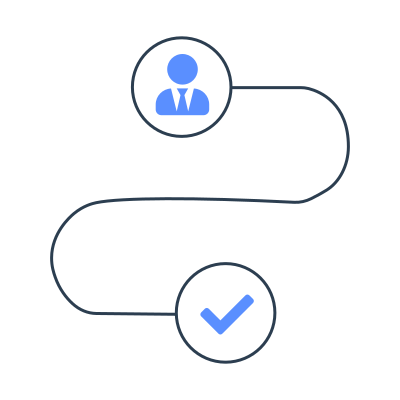
Each playbook consists of a sequence of tasks that sales reps must complete in each sales stage. Add tasks to each deal stage and monitor the progress of a deal.

Acquire leads and build lasting relationships. Use landing pages, web forms, email campaigns, and personalized sequences to generate and nurture leads.

Use the Process Designer to design, automate, implement, manage, monitor, and optimize your business processes.

Sales representatives can check out the statistics for client engagement with essential documents such as quotes, emails, or marketing collateral.

A wide collection of preloaded email templates in Vtiger saves time and helps in sending personalized emails.

Take control of scheduling your appointments. You can schedule a meeting with just a couple of clicks and share it with prospects or clients.
Print templates make the documents customizable and print easily.

Keep track of where your deals stand with opportunity management. Check out the current status, cases, previous conversations, and scheduled meetings.

Plan your sales cycle, manage targets, and monitor team performance by setting up forecasts and quotas. Intuitive and accurate, it's a great way to stay on the top of your sales game.

A customer-facing microsite to capture buyers’ journeys and optimize the sales process.

Enhance teamwork through a shared inbox that can be accessed by all sales representatives. Emails in the team inbox are visible across the team and help members collaboratively.

Create quotes - put in all essential information such as product details, prices, taxes, terms, and discounts. Use pre-built templates and customize them for client requirements.

Calculus, an AI-based feature, predicts and recommends the next actions based on the conversation analysis. This helps your teams to work smarter and improve customer experiences!

Vtiger Chatbot enhances customer interactions by swiftly resolving queries with LLMs, allowing easy training for precise responses from business knowledge.
Empower your Sales, Marketing, and Help desk teams with an AI assistant tailored to perform various tasks.

Analyze queries, improve responses, and generate insights to improve a bot’s performance.

Analyzes historical CRM data to identify patterns, forecast outcomes, and help drive strategic planning and rapid growth.

Create AI agents to automate tasks, offer real-time support, and improve user and customer experiences.

Check out the insights dashboard to get to know team and pipeline statistics. Motivate top-performing agents and visualize the health of the sales pipeline through accurate charts and tables.

Build comprehensive reports from real-time data to learn about products, sales targets, team performance, and opportunities. Export reports or charts quickly, and schedule automated periodic reports to save time.

Analyze the performance of each sales member by getting a real-time view of ongoing activities. Customized sales dashboards display critical sales and support metrics, reports, and charts for better decision-making across all levels.

Team members can communicate and collaborate internally to provide better quality service to customers.

Manage your calendar efficiently, schedule appointments, and tasks in just a few clicks. Users can create record-linked tasks and receive pop-up notifications as reminders for important events.
Centralize all vital sales and marketing documents to ensure that team members can access them. Check out your contact's document engagement to guide the next sales conversation and deliver better service.
Enhance teamwork through a shared inbox that can be accessed by all sales representatives. Emails in the team inbox are visible across the team and help members collaboratively.

Vtiger Actions page works as your assistant by bringing all the notifications, alerts and reminders in one place to take actions at the right time.

Integrate Google Meet, Zoom Meet, Microsoft Teams, and Webex with Vtiger CRM for effective customer conversations.

Managers can prioritize cases automatically and guarantee customer support in compliance with service-level agreements.

Use SLAs to set targets for responding and resolving customer issues within a specified time.

Users can easily view or submit issues, check out frequently asked questions, and view pending status updates on the navigable self-service portal.

Gain access to a comprehensive knowledge base that helps provide quick solutions to common customer problems.

Mailroom automates actions on your incoming emails by creating automated tickets, deals, and tasks. It attaches incoming customer emails to their records.

Facilitates real-time chat engagement with website and social media visitors, all within the CRM platform.

Create custom chat experiences that guide visitors through options like Sales or Support, with tailored follow-ups.

Personalized email templates can help you target the right audience. Engage with customers by sending triggered sequential emails and get email insights through detailed analytics.

Add new visitors as leads when they fill up your customized web form. Embed webforms on your website for better lead scoring and nurturing.

Monitor and engage your customers on social media platforms (Google My Business, Facebook, Twitter and Instagram) via the Vtiger CRM.
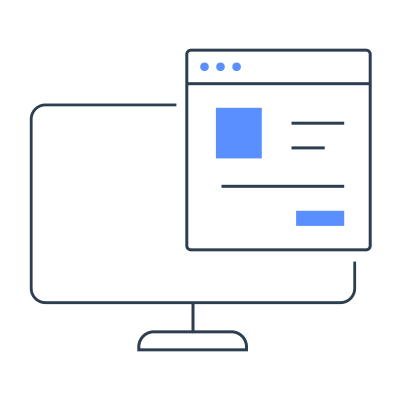
Create, edit and publish specific yet responsive web pages with CTAs easily using a simple Drag and Drop action.

Send SMSes from Vtiger CRM to your prospects and clients with preloaded SMS gateways such as TextAnywhere, SMS99, Solutions Infini, etc., to enhance your sales, marketing and support efforts.
A wide collection of preloaded email templates in Vtiger saves time and helps in sending personalized emails.

Secure, reliable URL shortener with inbuilt UTM code builder. Cut down the length of website links by reducing unwanted parameters.

Create and manage projects by assigning tasks, allotting time-based milestones and due dates. Monitor progress through Gantt charts and share the live customer portal's status to communicate about clients' progress.

Assign tasks to the users or groups and track status, progress, and duration to get work done much faster, which should be accomplished within a defined deadline.
Manage vendors, track stock levels, build quotes, and send invoices to ensure efficient inventory control. Build price books based on customer segments and track online payments for streamlined operations.
Create and manage work orders and add service appointments as per customers' requests. Integrate with Cases, Service Contracts, and other modules.
Access CRM data on the move with mobile applications for iPhone, iPad, and Android device users. Team members can access contact records in offline mode and view nearby prospects' locations to plan the workday efficiently.

Improve performance with Vtiger's Targets Add-on by conveniently setting targets for user activity.
Add and manage your employees as CRM users with a role hierarchy. Administer them by granting permissions to access information and perform tasks as per their roles.

Approvals in Vtiger CRM allows you to create and automate the business processes by simplifying the required clearances from the administrators or process owners.
Helps you streamline your business by automating frequent or repetitive tasks & common operations with a one-time setup.
Import contacts easily and records directly into the modules. Field mapping, duplicate handling and bulk export make the data transfer easy.
A wide collection of preloaded email templates in Vtiger saves time and helps in sending personalized emails.

Modify the label names, company’s logo, custom views, taxes, currencies, and so much more according to your and your business’s interests.
Vtiger Aide is a Chrome extension that lets you have a seamless experience of attending meetings, taking notes, and creating action items.

Maximize your field agents performance while they're in the field.
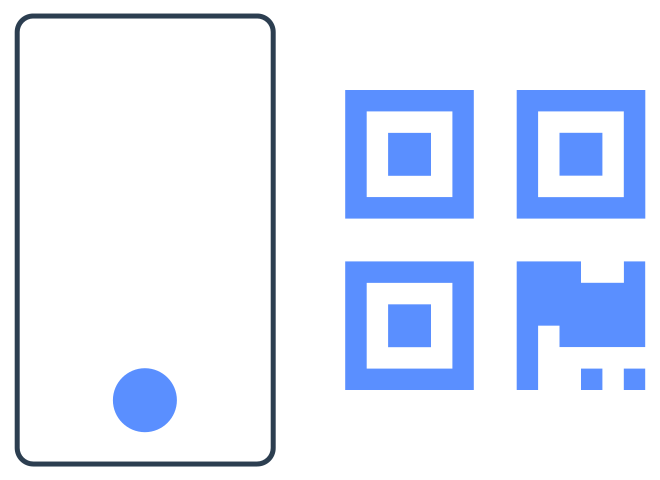
Integrating QR codes into your workflow will optimize data management, improve customer interactions, and streamline various aspects of customer relationship management.

Real-time stock updates during dispatch, seamless returns management, and streamlined warehouse inventory transfers.

Easily create custom server-side scripts and tasks. Build custom automation in your CRM triggered by record updates or defined actions.

Design, create, and customize module layouts with an easy drag-and-drop action.

Leverage Vtiger's One Time Password (OTP) Rules and Validation to add an extra layer of security to your CRM records.
Provides an overview of how Contacts, Leads, Organizations, and Vendors are interconnected.

Use Vtiger CRM as a QMS tool to monitor and ensure quality across SKUs, sales, and support interactions.

Vtiger Learning Management System (LMS) feature enables organizations to easily create and publish learning courses both internally and externally.
No credit card required. Cancel anytime.