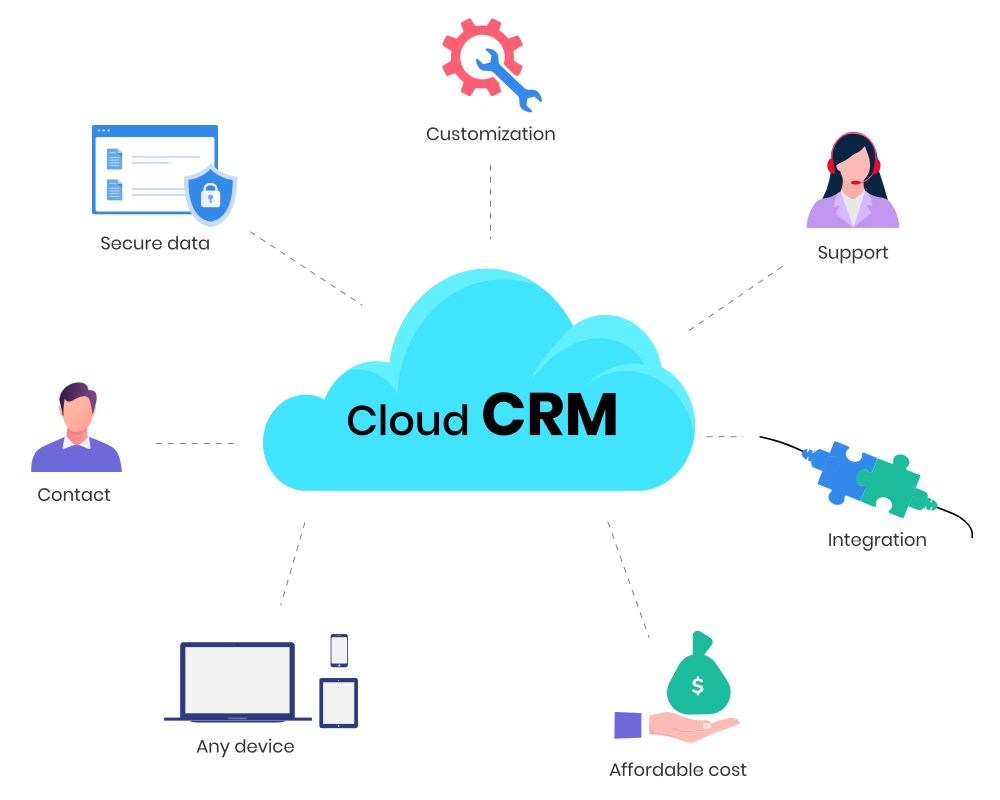
What is Cloud CRM?
Simply put, cloud CRM (or CRM cloud) is a customer relationship management system that is completely hosted in the cloud. Customer data is stored securely and is accessible through the Internet.
Most companies have migrated CRM technology to the cloud as it is flexible and cost-effective. Users can easily access CRM applications through web-based tools or browsers. Team members of an organization can log in to the CRM software from anywhere in the world, from any Internet-enabled device.
How does a cloud CRM work?
A cloud CRM is a customer relationship management platform hosted on secure online servers and delivered via SaaS (Software as a Service). Instead of running on local infrastructure, the system is accessed over the Internet, ensuring real-time updates, data scalability, and lower maintenance overheads. This model benefits employees, leadership teams, and IT by unifying customer data and make it accessible, and actionable across the business.
How cloud CRM works for employees
Employees interact with cloud CRM through a web-based interface or mobile application. This eliminates dependency on location or device. For example, sales executives can update deal progress while on client visits, service agents can retrieve past case histories during live calls, and marketing teams can pull campaign performance metrics without waiting for IT-generated reports.
The system centralizes contact databases, activity timelines, and communication history, ensuring that employees always work with the most recent version of customer data. Features such as role-based access, automated task reminders, and mobile notifications further streamline day-to-day activities, making every interaction more informed and efficient.
How cloud CRM works for organizations
At the organizational level, a cloud CRM creates a 360-degree customer view by integrating with ERP systems, email marketing tools, ecommerce platforms, and customer support applications. This integration ensures that data silos are broken down and departments operate on a single source of truth.
Executives gain access to live dashboards showing revenue pipelines, churn rates, service response times, and campaign ROI. Because the system continuously syncs across touchpoints, business leaders can rely on accurate insights to forecast demand, and measure customer lifetime value (CLV). This visibility helps create better customer retention strategies, which in turn make revenue more steady and predictable.
How cloud CRM works for IT
From the perspective of IT teams, cloud CRM reduces the burden of infrastructure management. The responsibility of building, securing, and maintaining the system lies with the external provider. IT staff do not need to handle logistics, updates, or security management, nor do they need to manually update each computer whenever changes are required. The cloud CRM also integrates with existing business tools and external applications, consolidating all data into one platform. This eliminates data silos and ensures that teams across the organization always have access to the latest customer information.
Key Features of Cloud CRM Contact and lead management
A cloud CRM maintains a unified customer information system that stores all customer and prospect details , including contact information, interaction history, preferences, and demographic data. Lead scoring and tracking help sales teams identify high-potential prospects, prioritize follow-ups, and monitor progress through the sales pipeline. All communications, notes, and activities are logged, ensuring accurate records are available for every interaction.
360-degree customer view
The Customer 360 feature provides a comprehensive profile for each customer, consolidating orders, calls, messages, complaints, and other interactions in one place. Teams no longer need to search across multiple systems to find information. This integrated view ensures that sales, service, and marketing teams can access the latest and complete data to make well-grounded decisions.
Sales pipeline management
Cloud CRM platforms provide visual interpretation to track deals at every stage, from initial contact to closure. Sales teams can monitor opportunities, set follow-up reminders , forecast revenue, and evaluate win-loss ratios. Managers gain insights into team performance, pipeline bottlenecks, and revenue trends to make informed decisions.
Marketing automation
Integrated marketing automation tools enable teams to create and manage email campaigns, lead-nurturing sequences, and customer segmentation. Teams can monitor campaign performance, analyze engagement, and measure return on investment. Automation reduces repetitive tasks and ensures consistent and timely communication with prospects and customers.
Customer service automation
CRM platforms include ticketing systems, case management, and knowledge bases to help service teams resolve issues efficiently. Service level agreements and escalation rules ensure timely responses to inquiries. Tracking of cases allows teams to monitor resolution times, identify recurring problems, and improve service processes.
Workflow automation
Cloud CRM systems can automatically perform tasks based on set rules. For example, they can assign tasks, send follow-up emails, or update records without manual work. This ensures processes are consistent across teams, helps everyone stay on track, and reduces the chance of errors. Workflow automation supports key business operations like routing leads, approving requests, or escalating issues quickly.
AI
Modern cloud CRMs include AI tools that help teams make better decisions. AI can highlight the most promising leads, suggest the next steps for customer interactions, and forecast sales outcomes. It can also automate routine tasks, such as drafting emails or segmenting customers based on behavior. By using AI, teams can focus on high-priority tasks and improve sales, service, and marketing results.
Customization options
Cloud CRM systems can be customized to match the way your business works. You can change fields, layouts, dashboards, and workflows to fit your processes and terminology. No-code tools let users create workflows, dashboards, and AI features without programming knowledge. This makes sure the system works for your specific needs and can grow with your business.
Integration capabilities
Cloud CRMs can connect with other business software such as accounting tools, marketing platforms, e-commerce systems, and productivity apps. These integrations allow data to flow smoothly between systems, keeping information up to date across departments. So when a business connects all its necessary tools in one platform, teams can work with the same information, reduce mistakes, and save time.
Collaboration tools
Cloud CRM includes built-in collaboration tools that let teams communicate internally and with customers. Users can send emails, make calls, and share updates directly from the system. Integration with PBX systems allows calls to be logged and made within the platform, while email integration syncs contacts, leads, and opportunities. Notifications, task assignments, and enterprise social network features help teams stay coordinated and informed.
Reporting and analytics
Cloud CRM provides real-time dashboards and reporting tools that track sales performance, marketing effectiveness, customer behavior, and team productivity. Customizable reports allow managers to monitor trends, evaluate KPIs, and make data-driven decisions. Advanced analytics help identify areas for improvement, optimize processes, and support revenue growth.
Mobile application
Cloud CRM mobile apps provide access to all critical data from any location. Users can view customer records, update information, track activities, and respond to requests in both online and offline modes. Mobile access ensures field teams, remote employees, and managers can maintain workflow continuity and keep customer data current at all times.